
djay - DJ App & AI Mixer
AlgoriddimMusic & Audio
3.85.49K Reviews
- Version
- Varies With Device
- Installs
- 10.00M
- Age Rating
- Everyone
Screenshots

Our Review of djay - DJ App & AI Mixer
 Analysis by Appyee
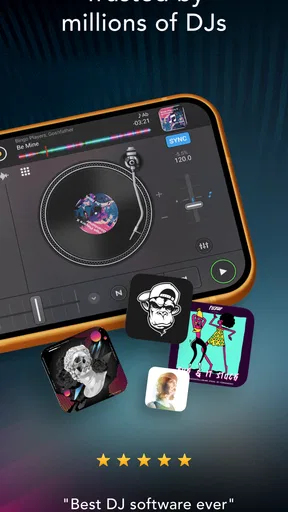
I judge a DJ app not only by the effects it offers, but by how comfortably I can find and control them when the music is playing. djay - DJ App & AI Mixer puts a two-deck mixing setup on a phone or tablet, with options for both hands-on practice and letting a mix run. That flexibility makes it inviting, though it also means the screen can feel busy when you are new to DJ controls or working on a smaller device.
Finding your way around the controls
The first useful distinction is between browsing music and shaping a mix. The deck view is where I would focus on playback, transitions, cues and effects; the library is where I would prepare what comes next. Keeping those jobs mentally separate helps the interface feel less crowded. Rather than tapping through every control at once, I’d start with two tracks, learn where the main deck actions sit, and add effects only after the basic transition feels comfortable.
That gradual approach matters for readability as much as learning. DJ interfaces use compact labels and visual cues because they have to fit a lot of information into a small space. On a phone, I would avoid trying to read controls while walking or in a dim, distracting room. A tablet gives the controls more room to breathe, but a larger display does not remove the need to learn where the important actions are before relying on them mid-mix.
Music preparation is another place where a little planning pays off. I would make a short practice selection before a gathering, listen to the tracks in advance, and decide which transitions I want to try. That reduces library browsing while people are waiting and makes it easier to concentrate on the sound. It also gives a beginner a manageable way to learn instead of treating a huge music collection as one long menu.
Touch, attention and the listening environment
Touch control is a strength when I want to make quick, expressive changes, but it is not automatically comfortable for everyone. A small screen can make precise gestures harder, and a finger can cover the detail I am trying to adjust. I would use broad, deliberate movements rather than hurried taps, especially when experimenting with loops or effects. If a control feels fiddly, it is better to simplify the mix than to keep reaching for a setting that distracts from the music.
The app also asks for sustained attention when I mix manually: I may be listening to one track, watching another, and preparing a change at the same time. Automix can reduce that workload for casual listening, while hands-on mixing is more rewarding when I can give it my attention. This is a practical difference, not a question of skill. If I need to talk with guests, cook, or handle another task, a simpler playback setup may be a better fit than actively managing a performance.
Sound matters as much as the screen. I would test a transition at a comfortable volume before using it around other people, because effects and level changes can be more noticeable on a room speaker than through headphones. In a shared space, the considerate choice is to keep the volume moderate and avoid sudden experiments. For private practice, headphones make it easier to focus on timing without filling the room with every false start.
When a phone mix fits—and when it does not
A realistic use is a small get-together where I want to keep a playlist moving without repeatedly stopping to choose each song. I could prepare a short run of tracks, let Automix handle continuity while I greet people, then take over for a few transitions when I have the time. The advantage is having a more hands-on option than an ordinary music player; the trade-off is that a phone remains a compact control surface, not the same working space as a laptop setup.
Compared with a standard streaming player, djay is for people who want to influence how songs meet, not just queue them. Compared with desktop DJ software, its portable format is easier to pick up for spontaneous practice but less comfortable for detailed work that benefits from a wide display and dedicated controls. I would choose it for exploring mixes at home, preparing ideas away from a desk, or adding a bit of performance to a small gathering. If I needed a carefully rehearsed, long set with extensive control, I would lean toward a more spacious setup instead.
One practical tip is to use Automix as a listening and planning aid, not as proof that every transition will suit every pair of songs. I would listen through the result and note where the energy or phrasing feels awkward, then try that handoff manually. Neural Mix is best treated similarly: separating musical parts can spark a remix idea, but it does not replace arranging or careful listening. These tools are most useful when they help me make a choice, rather than when I expect them to make every choice for me.
Who benefits from the flexible approach
I can see this working well for curious beginners who want to learn what a crossfade, cue or loop does without first assembling a full DJ station. It also suits music fans who enjoy making a playlist feel more continuous, and experienced DJs who want a portable place to test a transition or sketch an idea. The strongest fit is someone willing to experiment in short sessions and accept that a touchscreen rewards patience more than precision hardware does.
I would steer away from it if I only want reliable, uncomplicated background playback; a conventional player has fewer controls to learn and less to manage. It may also frustrate someone who finds small touch targets difficult, needs a highly predictable one-handed workflow, or wants every part of a performance visible at once. In those cases, a tablet, a desktop setup, or simply a regular music app may be more comfortable. The right choice depends on whether mixing itself is part of the fun.
What to expect before settling in
djay is a free music-and-audio app from Algoriddim, with optional in-app purchases ranging from $6.99 to $49.99 per item. Its average rating is 3.9 from around 222,000 ratings, and it has been installed over 10 million times. It is rated for Everyone and runs on operating systems from version 10 onward. I would treat the free starting point as a way to learn the basic workflow, then check which specific tools matter to me before paying for anything; a purchase makes sense only if it solves a real limitation in my own use.
One question people often have is whether they can let the app do the work. Automix supports that more relaxed style, while the deck controls leave room to intervene when I want. Another is whether it is beginner-friendly: the entry point is approachable, but becoming comfortable with manual transitions still takes practice. I would also consider the setting before choosing it. A casual room mix is a natural use; an important performance deserves rehearsal and a setup that I already know well.
Getting Started with djay
First things first, downloading and setting up djay - DJ App & AI Mixer is a breeze. Available on both Android and iOS, it’s just a tap away from getting your musical journey started. Once you’ve got it installed, you’re greeted with a sleek and intuitive interface that’s surprisingly easy to navigate for such a feature-packed app.
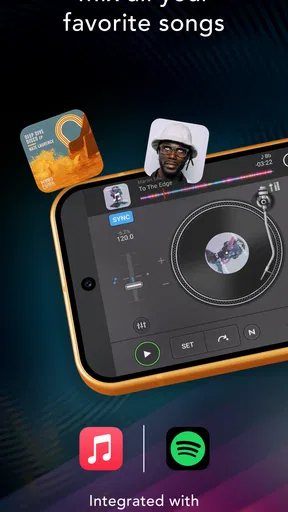
The app offers seamless integration with your favorite music libraries. Whether you’re using Spotify, iTunes, or local files, you’re covered. The ability to access millions of tracks is a game-changer for aspiring DJs, and it’s all synchronized beautifully within the app.
Features That Stand Out
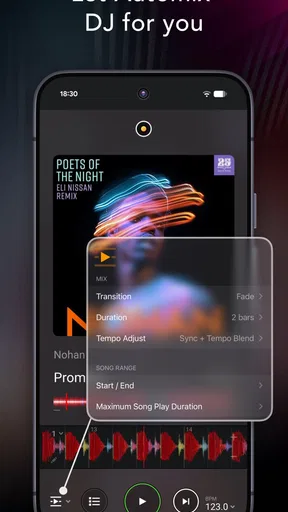
One of the standout features of djay is its AI-powered Automix. This nifty tool allows you to sit back and let the app do the mixing for you. It analyzes the tracks and transitions them smoothly, making you sound like a pro even if you’re just starting out. It’s perfect for parties where you want to keep the vibe going without manual intervention.
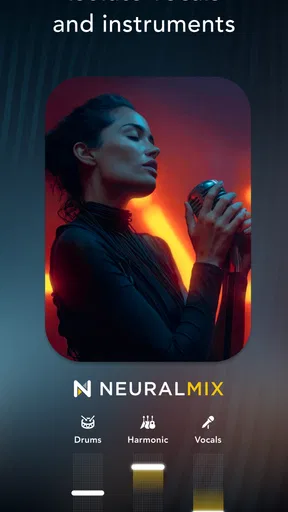
Another cool feature is the Neural Mix, which lets you isolate vocals, instruments, and beats in real-time. Imagine remixing a song by tweaking just the vocals or creating instrumental versions on the fly. It’s like having a mini recording studio in your pocket.
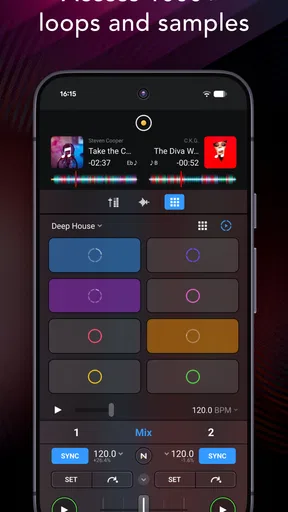
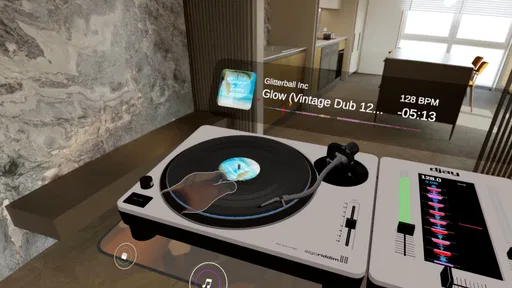
And let's not forget the classic DJ tools like loops, hot cues, and a plethora of effects. Whether you’re a purist who loves vinyl scratching or someone who likes to experiment with modern effects, djay has something to offer.
User Experience and Performance
The user experience is smooth and responsive. The developers have done a fantastic job ensuring that even on mid-range devices, the performance doesn’t lag. I experienced no crashes or bugs during my time with the app, which is always a huge plus.
Customization is another area where djay shines. You can tailor the interface to suit your personal style, and the app even offers a dark mode for those late-night jam sessions. It’s evident that user feedback has been taken into account to create an experience that’s both functional and fun.
Who is djay For?
Whether you’re an amateur looking to have some fun with your music collection or a seasoned DJ wanting to try out new mixes on the go, djay caters to everyone. The app is perfect for personal use, parties, or even professional gigs. The balance between simplicity for beginners and depth for experienced users is well struck.
For those who want to delve deeper, there’s a subscription option that unlocks even more features. While the free version is more than adequate for casual use, the paid version offers advanced tools that might be worth the investment for serious users.
Final Thoughts
In a nutshell, djay - DJ App & AI Mixer is a powerhouse of a DJ app that brings professional-level mixing to your smartphone or tablet. It’s user-friendly, packed with features, and offers something for music enthusiasts of all skill levels. Whether you’re mixing for a virtual audience or just jamming in your room, it’s an app that promises to elevate your music experience.
So, if you’re ready to unleash your inner DJ, give djay a spin. You might just find yourself at the center of the dance floor, without ever leaving your house.
Verdict
Strengths of djay - DJ App & AI Mixer
- Seamless Spotify integration for endless music.
- Intuitive interface for easy navigation.
- AI-powered mixing for smooth transitions.
- Customizable sound effects enhance creativity.
- Supports multiple file formats and sources.
Limitations of djay - DJ App & AI Mixer
- Requires premium for full feature access.
- Limited offline functionality.
- May drain battery quickly during use.
- Occasional lag on older devices.
- Subscription model can be costly over time.
Similar Picks in This Category
View All
YouTube Music
Google LLC4.4

Samsung Music
Samsung Electronics Co., Ltd.3.8

Spotify: Music and Podcasts
Spotify AB4.3

JioSaavn - Music & Podcasts
Saavn Media Limited4.3

Lark Player:Music Player & MP3
Lark Player Studio - Music, MP3 & Video Player4.6

StarMaker: Sing Karaoke Songs
SKYWORK AI PTE. LTD.4.3
Frequently Asked Questions
What features does djay - DJ App & AI Mixer offer?
djay - DJ App & AI Mixer offers a range of features that cater to both beginners and professional DJs. It includes a full DJ setup with turntables, a mixer, and effects. The AI-powered Automix feature allows users to seamlessly blend tracks, while integration with streaming services like Spotify and TIDAL provides access to millions of songs.
Is djay compatible with all devices?
djay is compatible with both Android and iOS devices. However, it's always best to check the specific system requirements on the app store to ensure full compatibility with your device model and operating system version. Some advanced features may require more recent hardware to function optimally.
Does djay require an internet connection to function?
While djay can operate offline using locally stored music files, an internet connection is needed to access streaming services like Spotify and TIDAL. Additionally, some features, such as downloading updates or accessing tutorials, will also require a connection to the internet.
How user-friendly is the djay interface for beginners?
djay is designed with a user-friendly interface that makes it accessible for beginners. It offers intuitive controls, tutorials, and preset effects that simplify the learning curve. The Automix feature is particularly helpful for those new to DJing, allowing users to automatically mix tracks with ease.
Are there any in-app purchases or subscriptions required?
djay offers both free and premium versions. While the free version includes basic features, the full potential of the app is unlocked through in-app purchases or a subscription to djay Pro. This subscription grants access to advanced features like additional effects, video mixing, and external hardware support.
